

Want your nonprofit to thrive online? Your website is the backbone of your mission, helping you connect with donors, manage volunteers, and share your story. With 68% of nonprofits revamping their sites in the last three years, it’s clear that a strong digital presence is essential. Here’s a quick overview of what your nonprofit website needs to succeed:
- Key Pages: Home, About, Programs, Donate, Events, Contact.
- Accessibility: Use high-contrast colors, alt text, and mobile-friendly designs.
- Donation Tools: Platforms like Donorbox or PayPal make giving easy.
- Volunteer/Event Management: Add clear sign-up forms and calendars.
- Platform Options: Choose WordPress, Wix, or Squarespace based on your needs.
- Security: Use SSL, comply with privacy laws, and perform regular updates.
Quick Comparison of Website Platforms:
| Platform | Cost | Ease of Use | Customization | Nonprofit Discount |
|---|---|---|---|---|
| WordPress | $25/month | Moderate | Extensive | None |
| Wix | $17/month | Very Easy | Limited | 70% off |
| Squarespace | $25/month | Easy | Moderate | 10% off |
Whether you’re starting from scratch or upgrading, this guide will help you build a site that drives donations, engages your community, and amplifies your impact.
Must-Have Features for Nonprofit Websites
Define Your Website Goals
Set clear, measurable objectives that align with your nonprofit’s mission. Focus on metrics that matter, such as monthly donation goals, volunteer sign-ups, and program awareness. Here are some key areas to prioritize:
- Donation conversion rates
- Volunteer registrations
- Email newsletter subscriptions
- Program participation
- Resource downloads
- Social media interactions
These goals will guide the design and structure of the essential pages listed below.
"Your nonprofit webpage — your home page — must entice readers right away." – Kathy Widenhouse, Award-winning writer
Required Website Pages
Every nonprofit website should include these key pages to engage visitors and inspire action:
| Page Type | Key Elements | Purpose |
|---|---|---|
| Home | Mission statement, donation button, latest news | Provide a quick snapshot of your organization |
| About | Team bios, history, impact metrics | Build trust and credibility |
| Programs | Service descriptions, success stories | Highlight your activities and achievements |
| Donate | Multiple payment options, impact statements | Make giving easy and compelling |
| Events | Calendar, registration forms | Encourage participation in upcoming activities |
| Contact | Address, phone, email, social links | Ensure visitors can reach you easily |
For example, the Center for Clean Air Policy (CCAP) uses its brand colors and a simple navigation structure to guide users to essential pages. Their site features an easy-to-find donation button and detailed program information, helping visitors quickly understand their mission and impact.
Make Your Site Work for Everyone
Accessibility is a critical factor, with 90% of websites being difficult for people using assistive technologies. Follow these WCAG guidelines to ensure inclusivity:
- Use high-contrast colors (minimum 4.5:1 ratio)
- Set body text to at least 16 pixels
- Add alt text for all images
- Enable keyboard navigation
- Include captions for videos
- Use proper HTML headings for structured content
The Michigan Alliance for Justice in Climate offers a great example of accessibility. Their streamlined three-page menu makes navigation simple for all users. They also feature a clear mission statement and well-placed call-to-action buttons, ensuring visitors can easily find what they need.
Mobile optimization is just as important. With 60% of global web traffic coming from mobile devices in 2024, your site must deliver a consistent experience across all screen sizes. Test it on various devices to ensure smooth functionality.
Here are some best practices for interactive elements:
- Use clear and descriptive labels
- Highlight focus states for accessibility
- Provide helpful error messages
- Offer alternative ways to contact your organization
The Wood County Humane Society website is a good example of accessibility in action. It offers multiple entry points to vital information, such as volunteer sign-up forms and annual reports, making it easy for all users to engage with their content.
Starting a Nonprofit: How to make your Website GREAT
Pick Your Website Platform
Once you’ve identified your website’s key features, it’s time to select the platform that suits your nonprofit’s needs.
WordPress vs. Wix vs. Squarespace
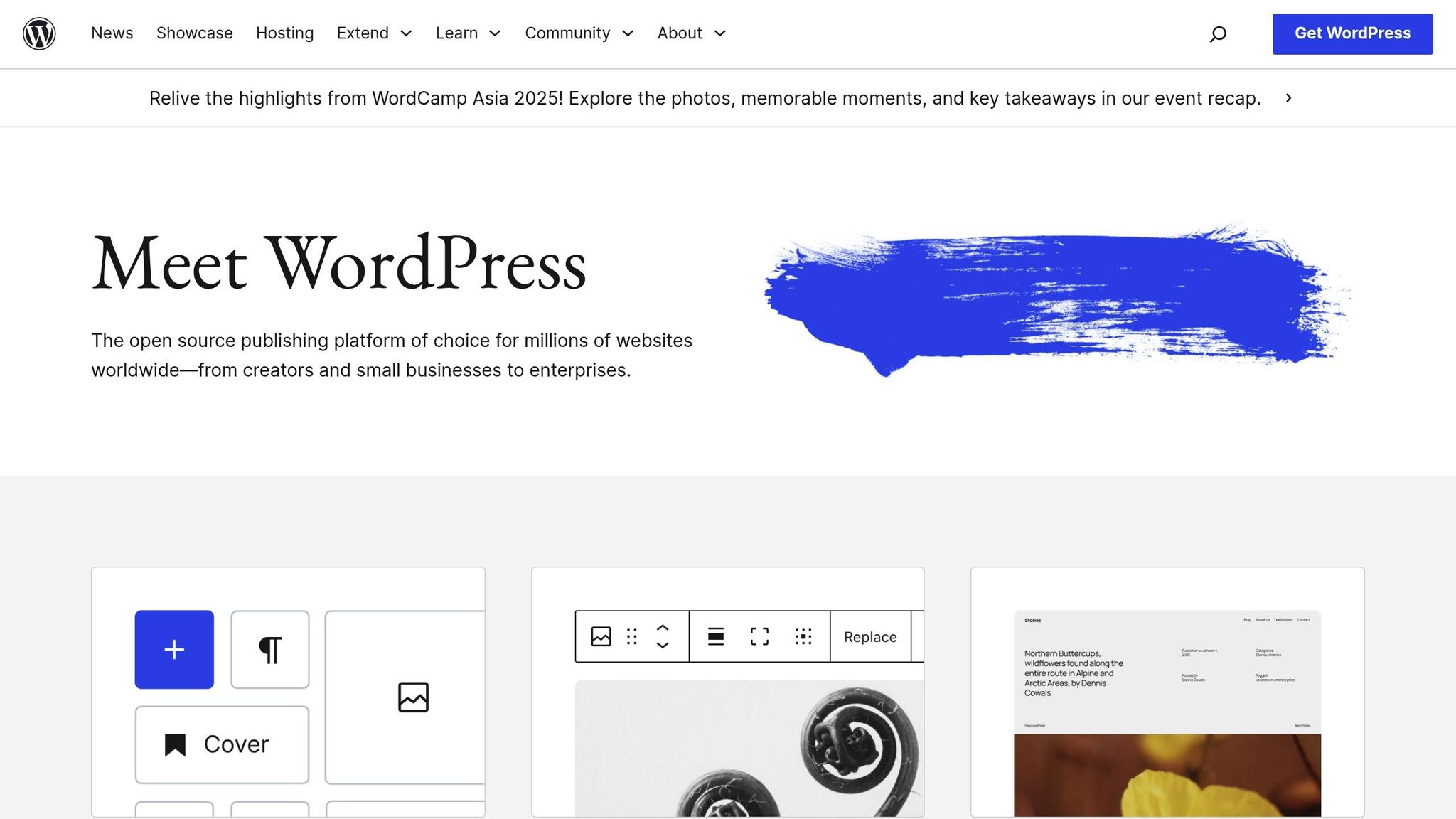
Here’s a quick comparison of popular platforms for nonprofits:
| Feature | WordPress | Wix | Squarespace |
|---|---|---|---|
| Base Cost | $25/month | $17/month | $25/month |
| Nonprofit Discount | None | 70% off (2-year plans) | 10% off (annual plans) |
| Ease of Use | Moderate learning curve | Very easy | Easy |
| Customization | Extensive | Limited | Moderate |
| Technical Skills | Some required | Minimal | Minimal |
Wix is a strong choice for newer nonprofits, thanks to its partnership with TechSoup. Their $36/month Business plan includes tools like donation forms and event management.
Squarespace is ideal for organizations focused on aesthetics. Its $36/month Core plan offers visually appealing templates and donation blocks tailored for nonprofits.
WordPress provides unmatched flexibility but requires more technical know-how. Pairing the $25/month Business plan with the GiveWP plugin (starting at $149/year) creates a powerful fundraising tool.
Choose Between Hosted or Self-Hosted
Deciding between hosted and self-hosted platforms depends on your organization’s needs and technical resources.
- Hosted Platforms (e.g., WordPress.com, Wix, Squarespace): These platforms handle technical maintenance, security, and hosting. While convenient, they often have fewer customization options.
- Self-Hosted Platforms (e.g., WordPress.org): These require separate hosting and manual updates, but they give you complete control and extensive customization options.
"Self-hosted WordPress is best for most nonprofits, particularly those that have had a website before. WordPress.com can be a great solution for nonprofits that are just getting started or need to get a small microsite up quickly."
Get a Domain Name and Host
Opt for a .org domain to establish trust and credibility. Registering a domain usually costs $10-15 per year.
When choosing a hosting provider, here are two reliable options:
| Provider | Features | Best For |
|---|---|---|
| GoDaddy | • Manages 82+ million domains • First-year domains from $0.01 • Comprehensive support |
Organizations needing all-in-one services |
| Bluehost | • Free first-year domain • Optimized for WordPress • 24/7 support |
WordPress-focused nonprofits |
Consider purchasing domain privacy to protect your contact details from public WHOIS directories. Additionally, securing alternate domain extensions like .com and .net can help safeguard your brand.
sbb-itb-0111765
Add Nonprofit-Specific Features
Once your platform is up and running, it’s time to add tools designed specifically for nonprofit engagement.
Set Up Online Donations
Online donations have grown by 60% since 2017. Here’s a quick look at some popular donation platforms:
| Platform | Monthly Cost | Processing Fee | Key Features |
|---|---|---|---|
| Donorbox | Free – $89 | 1.5% + Stripe fees | • Recurring donations • 45+ currencies • Custom forms |
| PayPal | Free | 2.2% + $0.30 | • Instant setup • Name recognition • Mobile payments |
| Stripe | Free | 2.9% + $0.30 | • Advanced security • Custom branding • API access |
Did you know branded donation forms bring in seven times more donations? To boost your results:
- Add a clear "Donate Now" button in the top-right corner of your website.
- Make sure donors are never more than one click away from the donation form.
- Keep branding consistent across all donation pages.
- Ensure payment forms are mobile-friendly.
Manage Volunteers and Events
Donations are just one piece of the puzzle. Building a community through effective volunteer and event management is equally important. For example, the Boston Bruins Foundation’s Bfit Challenge increased registrations by 66% and raised $360,000. Similarly, the Autism Society of Central Virginia’s 5K Challenge engaged 1,200 participants during its month-long campaign.
Here’s how you can manage your volunteers and events effectively:
- Set up a dedicated volunteer hub with program details and registration forms.
- Regularly update opportunities with clear role descriptions and time commitments.
- Share volunteer success stories on your blog to inspire others.
- Use event management tools to streamline registrations and payments.
Connect Email and Donor Tools
Pair your donation and volunteer tools with email marketing to keep donors engaged. Consistent communication with donors can increase revenue by 41.5%. Below are some email marketing platforms tailored for nonprofits:
| Platform | Nonprofit Discount | Starting Price | Best For |
|---|---|---|---|
| Mailchimp | 15% off | Free | Large organizations |
| Flodesk | 50% off | $35/month | Visual storytelling |
| VerticalResponse | 10,000 free emails | Free | Small nonprofits |
| Email Octopus | 20% off | Free | Budget-conscious |
To make the most of your email tools:
- Segment your mailing list based on donor interests and behavior.
- Set up an automated welcome series for new supporters.
- Track engagement metrics and connect your CRM to your email platform for smoother campaign adjustments.
With 54% of donors worldwide preferring to give online in 2024, these features will help your website not just attract donors but also build long-term community connections.
Keep Your Website Safe
Protecting your website is crucial for maintaining donor trust and safeguarding sensitive data. With 30,000 websites hacked every day, taking proactive steps is a must.
Add SSL and HTTPS Protection
Start by implementing SSL and HTTPS to secure data transmission. Here’s a quick breakdown of key SSL features:
| Security Feature | Purpose | Priority |
|---|---|---|
| SSL Certificate | Encrypts data transmission | Immediate |
| HTTPS Redirect | Ensures secure connections | High |
| Mixed Content Fix | Avoids security warnings | Medium |
| Certificate Monitor | Tracks certificate expiration | Medium |
While basic SSL is a good start, websites handling donations need extra layers of protection. For instance, Neon One provides its customers with a free PCI Compliance program, which includes $100,000 in coverage against data breaches.
Once SSL is in place, focus on meeting privacy regulations.
Follow Privacy Laws
Securing data transmission is only part of the equation. You also need to comply with privacy laws when collecting donor information. Depending on your audience, these might include:
- GDPR for data collected from EU residents
- CCPA for interactions with California-based individuals or entities
- HIPAA or FERPA for organizations dealing with health or educational data
Make sure to publish a clear and accessible privacy policy that outlines:
- What data you collect
- How you use and protect it
- Who has access to the information
- How donors can manage their data
Combining encryption with privacy compliance ensures donor information stays secure.
Maintain Your Website
Security isn’t a one-time task – it requires consistent upkeep. Regular maintenance can help prevent vulnerabilities. Here’s a suggested schedule:
- Weekly Tasks
Monitor server logs for unusual activity and update plugins. For WordPress users, this is especially important since 98% of security issues are plugin-related. - Monthly Tasks
Conduct in-depth security scans, test your backup systems, and store copies of your database and website files in separate locations. - Quarterly Tasks
Perform security audits, update your privacy policies, and remove unused plugins or themes that could expose your site to risks.
With 43% of cyberattacks targeting small organizations, staying vigilant and training your team to recognize threats is essential for long-term security.
Conclusion
Throughout this guide, we’ve explored how every aspect of your nonprofit website – design, functionality, and security – plays a role in engaging donors. With 63% of donors preferring online giving, your website is a key driver of your mission’s success.
Take a look at some common features of successful nonprofit websites:
| Key Element | Impact | Priority Level |
|---|---|---|
| Mobile-First Design | 57.9% of donations come from mobile devices | Critical |
| User Experience | 75% of users judge credibility based on website design | High |
| Loading Speed | 53% of mobile users leave sites that take over 3 seconds | High |
| Regular Updates | 68% of nonprofits have redesigned their site in 3 years | Medium |
Adopting a digital-first mindset can boost donor retention by 53% across channels.
"Nonprofits risk losing support if the donor experience isn’t seamless, engaging, and empowering." – Candid
Here are a few actionable steps to enhance your website:
- Personalize the Experience: Use tools to tailor content for donors, volunteers, and beneficiaries.
- Streamline Mobile Donation Flows: Make it easy for mobile users to donate without friction.
- Leverage Analytics: Continuously track website performance and adjust based on data insights.