
Ok, but why?
One of the most basic functions of working on your website is adding/editing a page in WordPress. This will allow you to add accurate and up to date information about your site. Follow the simple instructions below and see how easy it is.
Step One: Adding the WordPress page
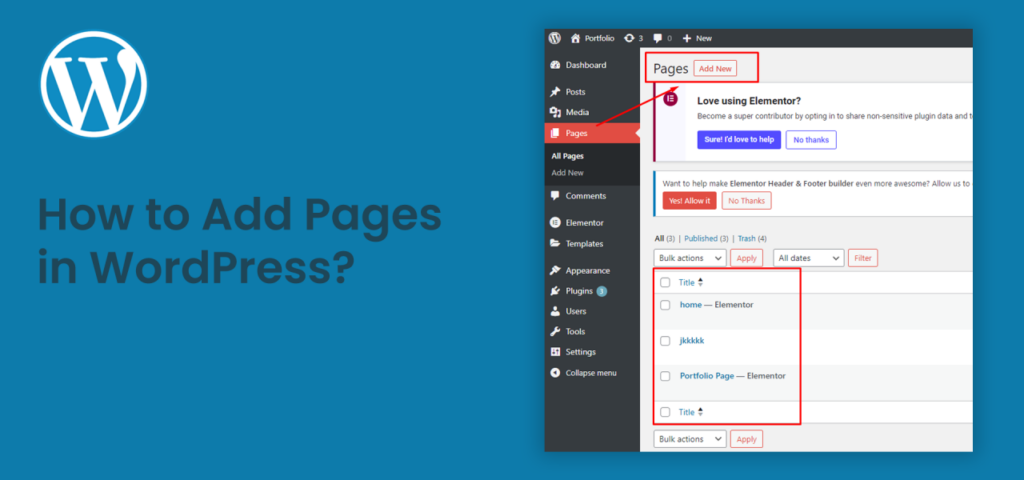
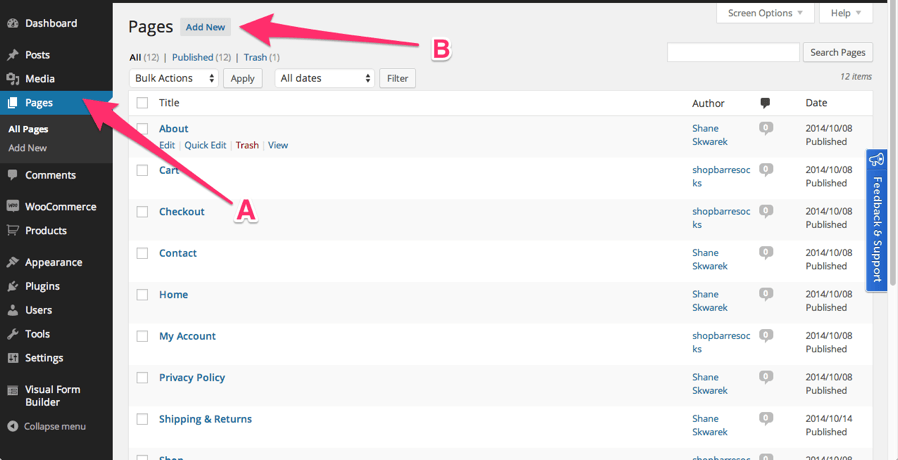
To add a new page to your website, take a look on the left hand sidebar click “Pages” (A) and then click “Add New” (B).
If you’ve already made some pages with content that needs to be updated, you can also click any of the existing page to edit it. This is in case you want to add some more information or just to update some details that have changed through time.
You can look up for existing pages by introducing the title, or part of it, on the top right searching bar. Then click “Search Pages”, select the post and edit it.
Step Two: Writing the title and content in an optimal way
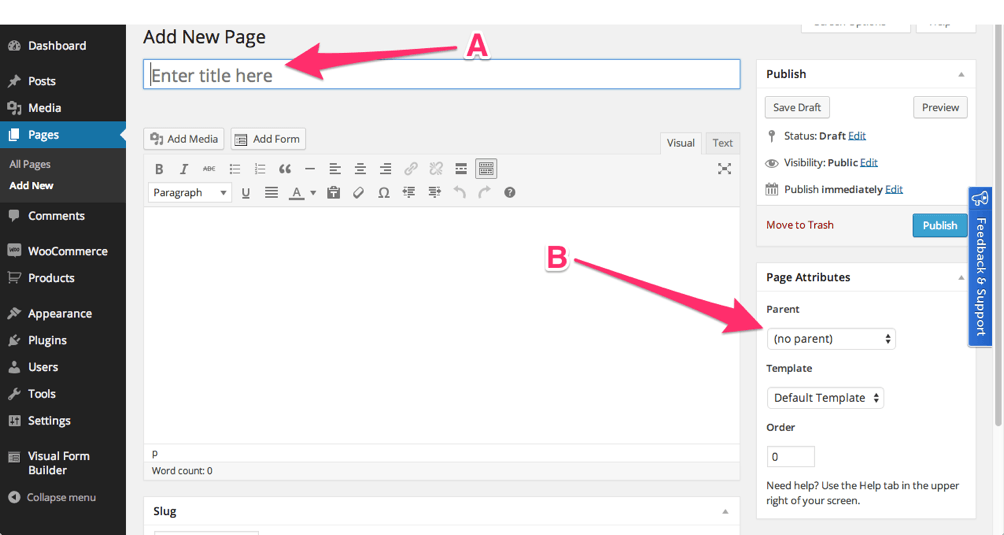
Once you open the page, you want to title your Page (A). Make sure it’s appropriate to what you want people to see, as this is the header of your page. Make sure it reflects what you want to convey and make it interesting so people click on it to actually read the full content.
The other thing you can do is set a “Parent Page” (B). This only applies if you want to create a subpage that you can nest under one of the “Parents.”
Note: SEO Plugins will help you create better titles and content. It’s not just for posts, it works with pages as well.
Important: Make sure your content has some really interesting facts and information. This is key to create the so- needed engagement with the reader. That will make people come back to your site to keep up to date with everything you upload.
What you don’t want is to create repetitive, outdated, useless content. That, in fact, will make you lose engagement, no matter how optimized is your page.
There are some Plugins for WordPress that can lead you to create pages that are SEO friendly. Here you can find 15 Plugins for SEO on WordPress. We highly suggest you to take a look on them and see which is your favorite!
________________________________________________________________________________
At S-FX Small Business Solutions we want (and can) help you out with this if you’re just beginning on these matters.
Just reach us out and let’s see together how can we optimize your web page through WordPress pages and posts. We can show you how to benefit your site by learning this!