
GoDaddy is well-known for being one of the premier domain name registrars. What makes their service especially popular amongst web design agencies is their ability to allow business owners to securely authorize web design agencies to access important account settings (such as domain names, hosting packages, and other products).
How to add an authorized user on your GoDaddy Account
1. Log into your GoDaddy Account
—
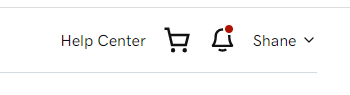
2. Once logged in, look at the upper right corner and click your name
–
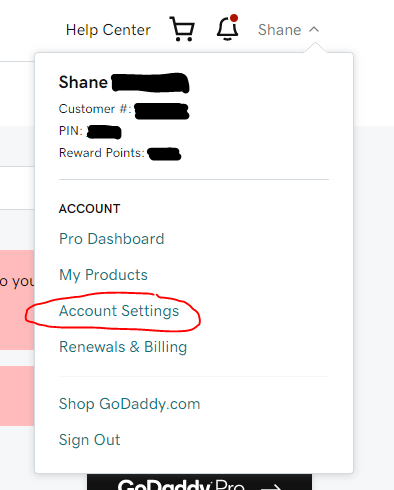
3. From the dropdown menu, select “Account Settings”
–
4. Scroll down and select “Delegate Access”

–
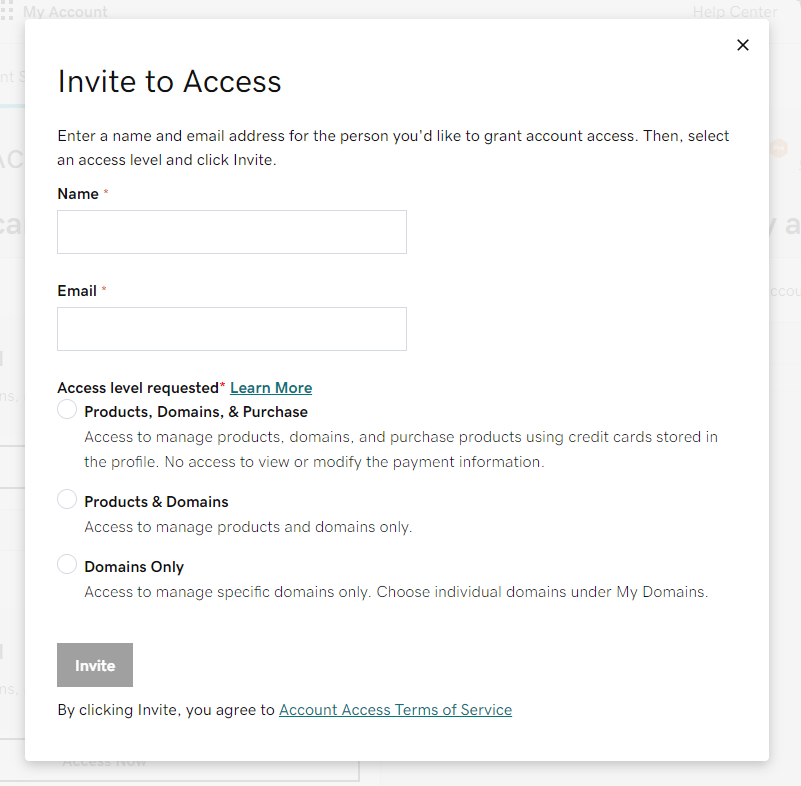
5. To the right, locate “People who can access my account” and select “Invite to access”

–
6. Complete the form with the name of the agency, their preferred email, and what level of access you wish to give them.
–
That’s it! You’re all done.
Now inform your web design agency so they can begin work on your account, without you having to give up any passwords or credentials.